The forum activity module enables participants to have asynchronous discussions i.e. discussions that take place over an extended period of time.
There are several forum types to choose from, such as
- a standard forum where anyone can start a new discussion at any time;
- a forum where each student can post exactly one discussion;
- a question and answer forum where students must first post before being able to view other students' posts.
Forums have many uses, such as
- A social space for students to get to know each other
- For course announcements (using a news forum with forced subscription)
- For discussing course content or reading materials
- For continuing online an issue raised previously in a face-to-face session
- For teacher-only discussions (using a hidden forum)
- A help centre where tutors and students can give advice
- A one-on-one support area for private student-teacher communications (using a forum with separate groups and with one student per group)
- For extension activities, for example ‘brain teasers’ for students to ponder and suggest solutions to
To create a forum in your module,
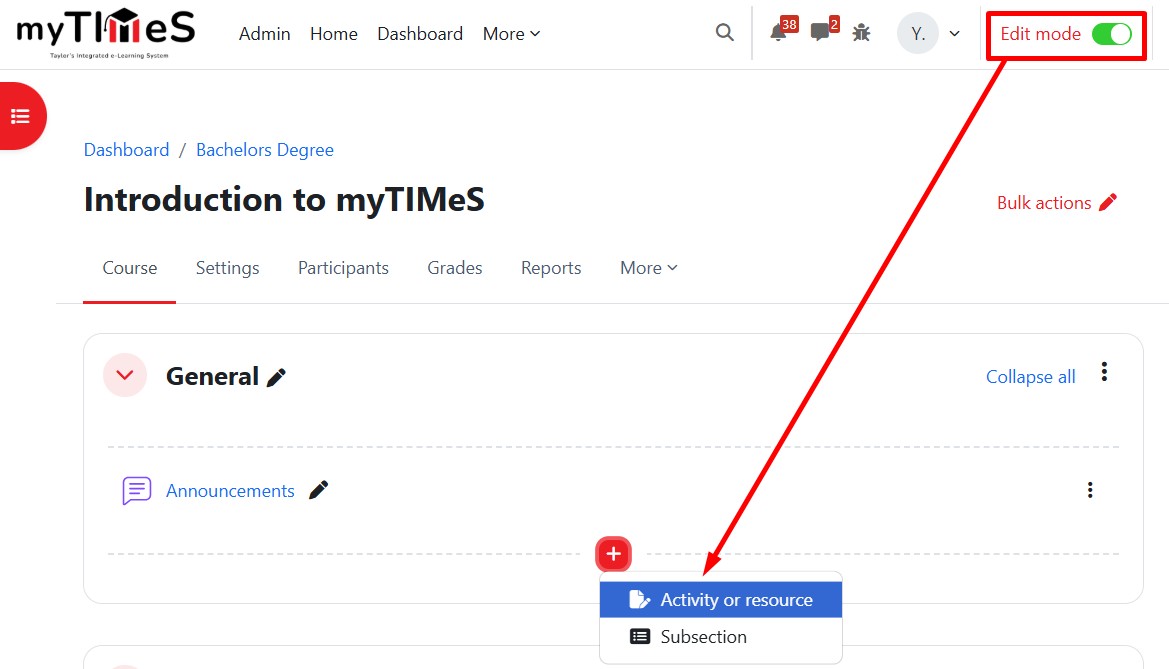
Step 1 : Toggle on the "Edit mode" at the top right of your module page.
Step 2 : Locate the Section where you want to add the Quiz activity.
Step 3 : At the bottom of the section, click the red "+" button, then select "Activity or resource".
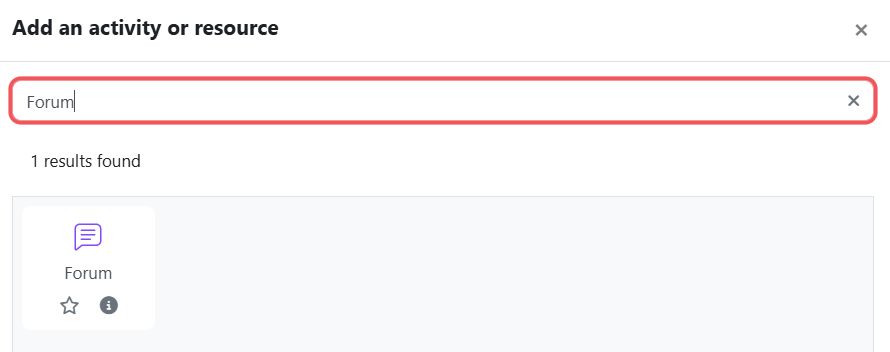
Step 4 : Key in "Forum" in the search box and the Forum activity will be displayed. Click on the Forum icon and the Adding a new Activity page will open.
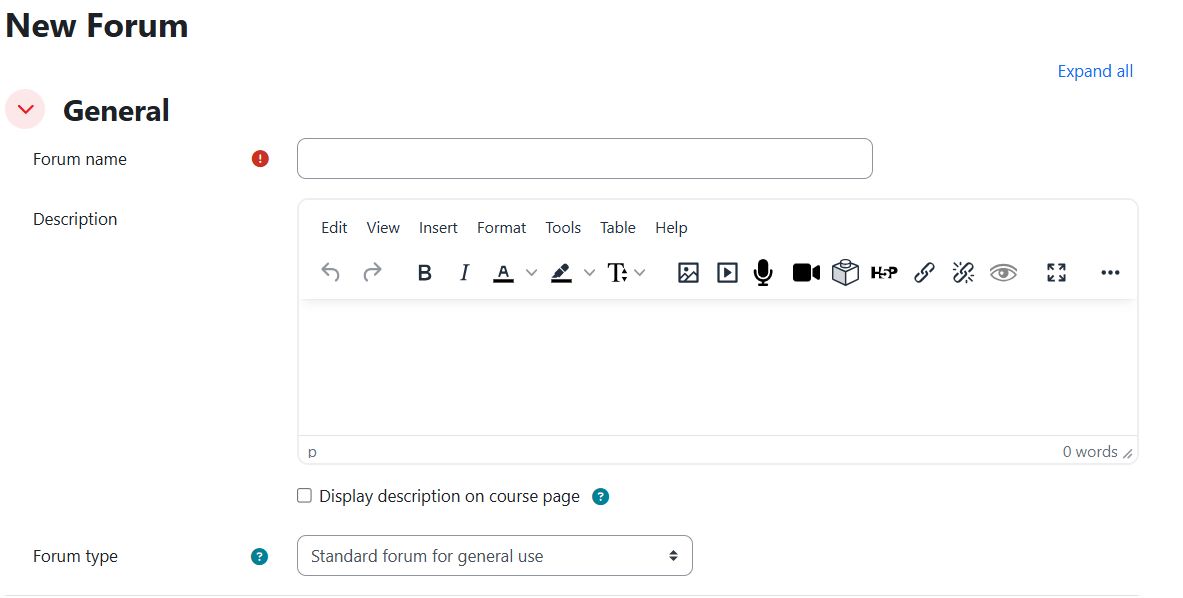
Step 5 : Fill in the Forum name, Description and choose the preferred forum type. Then click "Save and display".
Step 6 : Click "Add a discussion topic". 
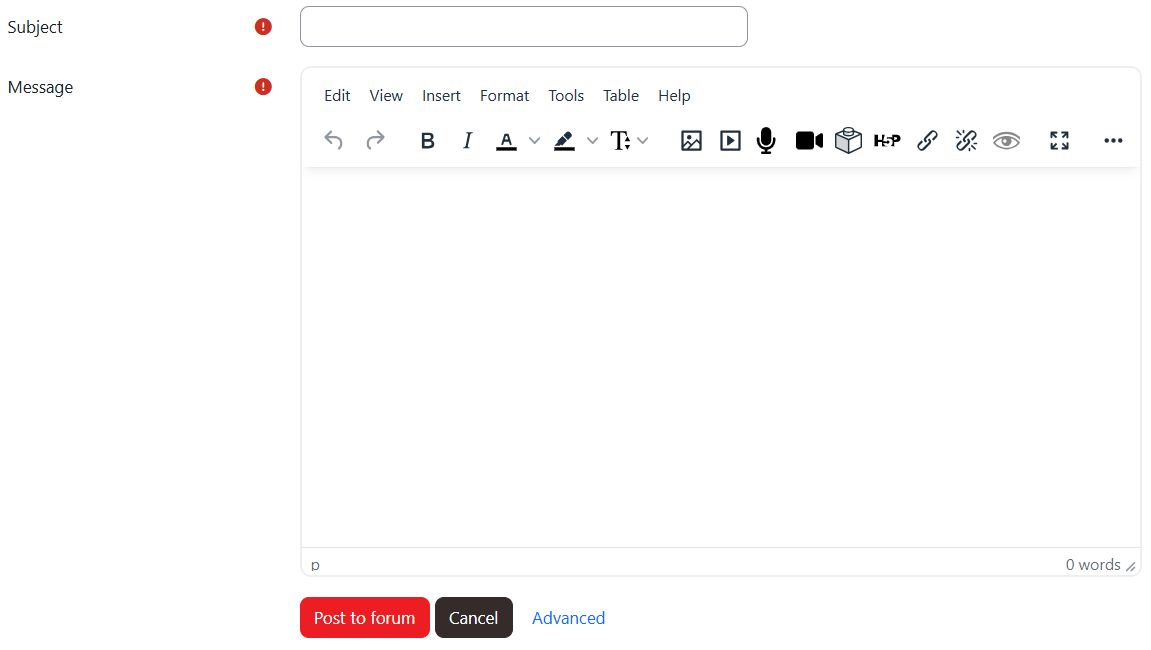
Step 7 : Fill in the Subject and Message fields. Click "Advanced" if you wish to attach a file or set the display period. Once you have finished editing, click "Post to forum".